Billing
Free clusters are free forever. You do not need a billing account to create a free cluster.
Shared Cloud clusters are charged for resource usage. The monthly charge is determined by your usage and your support plan. You have to have a billing account to create a Shared Cloud cluster.
To estimate costs for different usage plans, see the pricing page.
Create an account
Section titled “Create an account”Weaviate Cloud (WCD) uses Stripe for billing. To create a Stripe account, follow these steps:
-
Open the Weaviate Cloud console.
-
Open the organization dropdown menu (1).
-
Click on
Organization settings( 2).
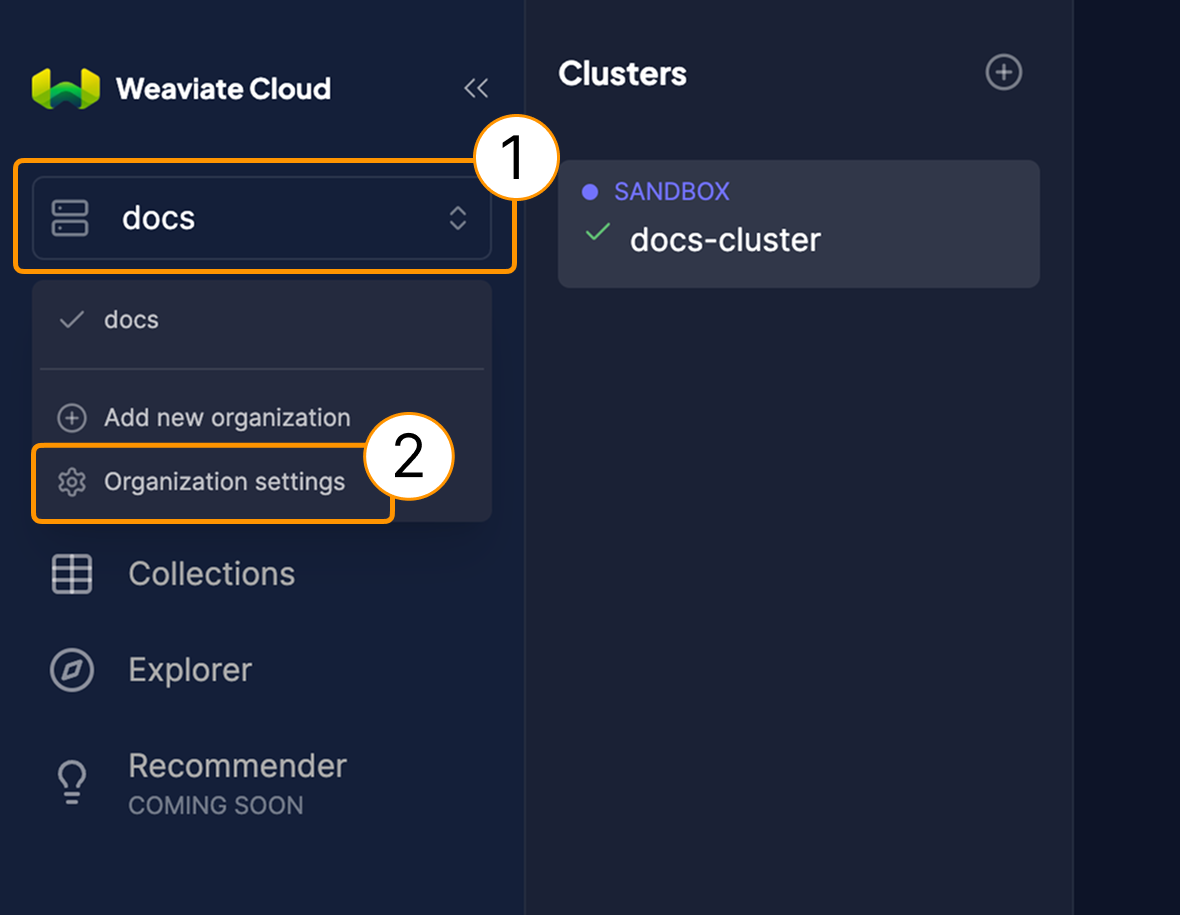
Edit an organization in Weaviate Cloud.
-
Under the
Billingsection, click on theAdd payment methodbutton (3). -
Fill in the needed personal information.
-
Create your Stripe account.
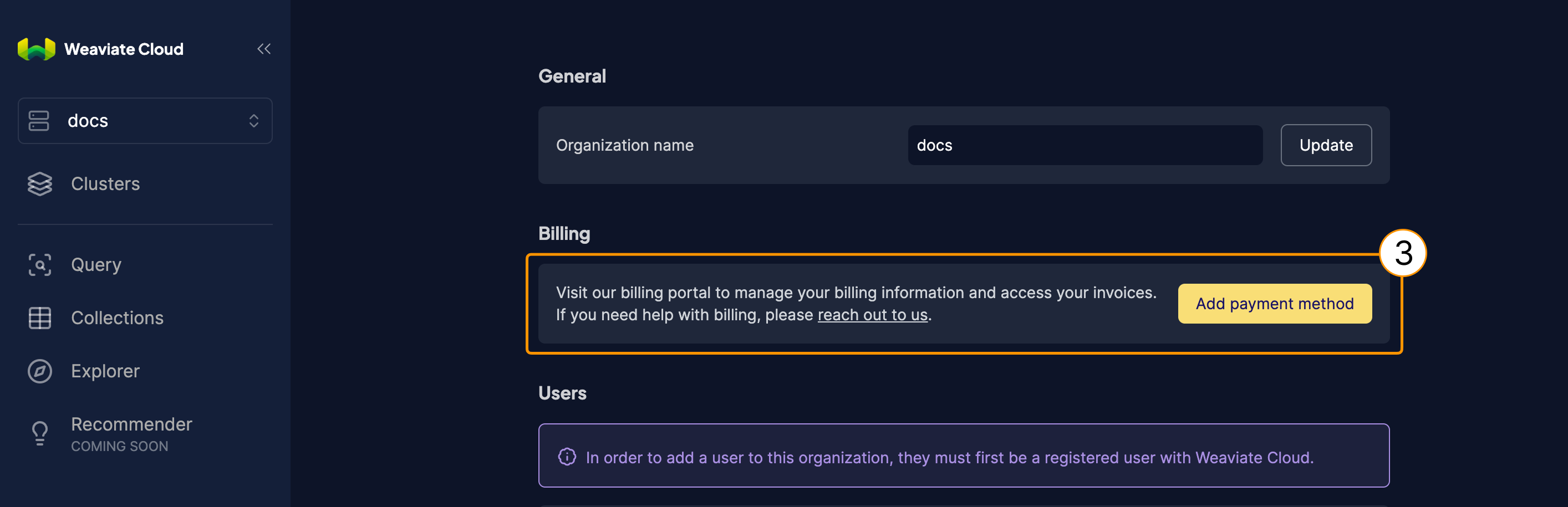
Add payment method to Weaviate Cloud.
Usage charges
Section titled “Usage charges”For details on usage charges, see the pricing page.
Support levels
Section titled “Support levels”Weaviate offers multiple support plans at multiple levels with specific support options. Refer to the page for further details.
High availability
Section titled “High availability”All paid plans include highly available (HA) clusters by default.
Billing cycles
Section titled “Billing cycles”Charges are calculated and invoiced for active clusters on the 1st day of each month.
Stop billing & service
Section titled “Stop billing & service”To stop billing for your Weaviate Cloud account, delete all active cluster(s). Billing continues for each active cluster until deletion. Each cluster generates a final invoice with your latest usage charges upon deletion.
Once all cluster(s) are deleted and invoices are settled, your subscription will end.
Support
Section titled “Support”If you use Weaviate Cloud (Database cluster(s) or Weaviate product in the cloud) or have a self-hosted support package, open a ticket in the Support Portal or email Weaviate support directly. To add a support plan, contact Weaviate sales.
Use the Support Portal for direct help from the Weaviate team: open and track tickets, and we'll respond in line with your support plan. The Community Forum is open to everyone, and a great place to ask questions, get help with your cluster, and connect with other developers. For all the ways to get help, see the Support overview.