Concepts
Engram organizes and processes memories for your AI applications. Here's how the core concepts work together.
| Concept | Description |
|---|---|
| Memories | Discrete pieces of information stored in Engram, automatically embedded as vectors for semantic search. |
| Groups | A named configuration bundle. Each group contains topics (what to remember) and a pipeline (how to process). Most projects start with a single group. |
| Topics | A category of memory within a group. Each topic defines what kind of information to extract, like UserKnowledge or ConversationSummary. |
| Scopes | Controls memory visibility. Every memory belongs to a project. Topics can additionally require a user_id and custom properties (e.g. conversation_id) for isolation. |
| Input data types | The three content formats Engram accepts: string, pre-extracted, and conversation. |
| Pipelines | The processing flow that turns raw input into stored memories. Steps include extracting facts, transforming with context, and committing to storage. Configurable pipelines are available on enterprise plans. |
| Search | Search retrieval strategies for finding memories: vector, BM25, and hybrid. |
How concepts relate
Section titled “How concepts relate”Below is an overview of Engram's key concepts and how they relate to each other:
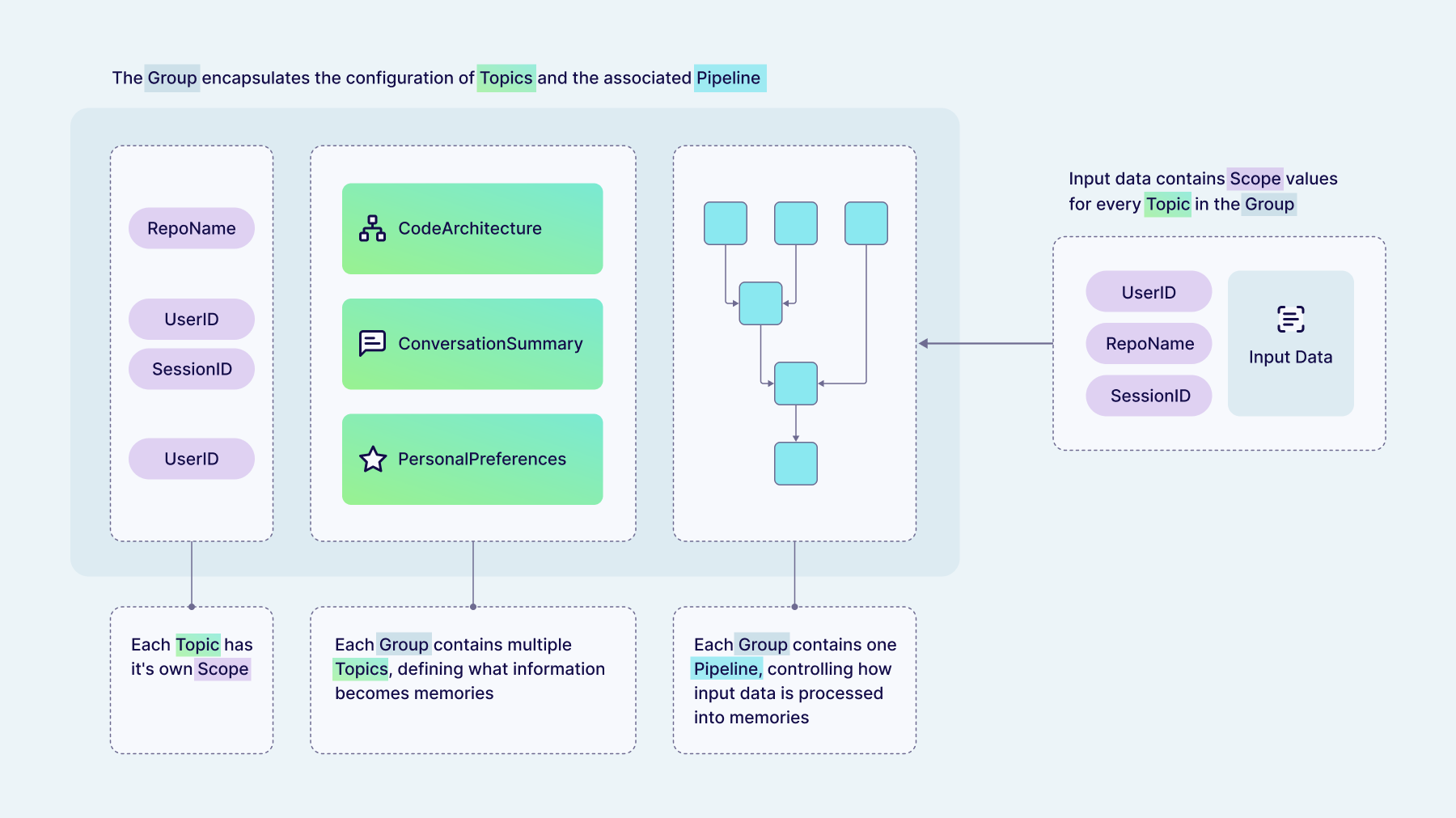
- You send input data (text, a conversation, or pre-extracted facts) along with scope parameters (
user_idand anypropertiesthe target topic requires) that control how the memories are isolated. - The input is routed to a group, which bundles topics with a pipeline — one group per use case.
- Topics tell the pipeline what kinds of information to extract (e.g.
UserKnowledge,ConversationSummary) and which scopes are required. - The pipeline extracts facts from the input, deduplicates and merges them with existing data, and commits the results to storage.
- The output is a set of memories — vector-embedded, categorized by topic, and isolated by scope so each user's data stays separate.
Questions and feedback
Section titled “Questions and feedback”Have a question or feedback? Here's how to reach us.