Contextual AI + Weaviate
Contextual AI offers a wide range of models for natural language processing and generation. Weaviate seamlessly integrates with Contextual AI's APIs, allowing users to leverage Contextual AI's models directly from the Weaviate Database.
These integrations empower developers to build sophisticated AI-driven applications with ease.
Integrations with Contextual AI
Section titled “Integrations with Contextual AI”Generative AI models for RAG
Section titled “Generative AI models for RAG”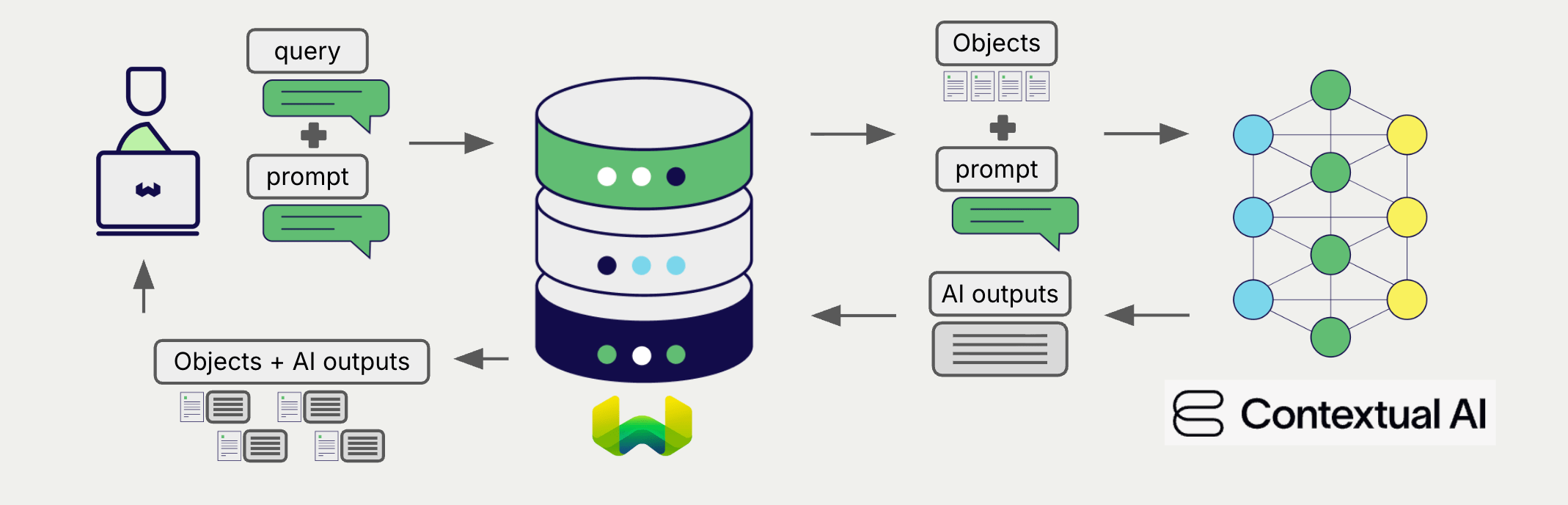
Contextual AI's generative AI models can generate human-like text based on given prompts and contexts.
Weaviate's generative AI integration enables users to perform retrieval augmented generation (RAG) directly from the Weaviate Database. This combines Weaviate's efficient storage and fast retrieval capabilities with Contextual AI's generative AI models to generate personalized and context-aware responses.
Contextual AI generative AI integration page
Reranker models
Section titled “Reranker models”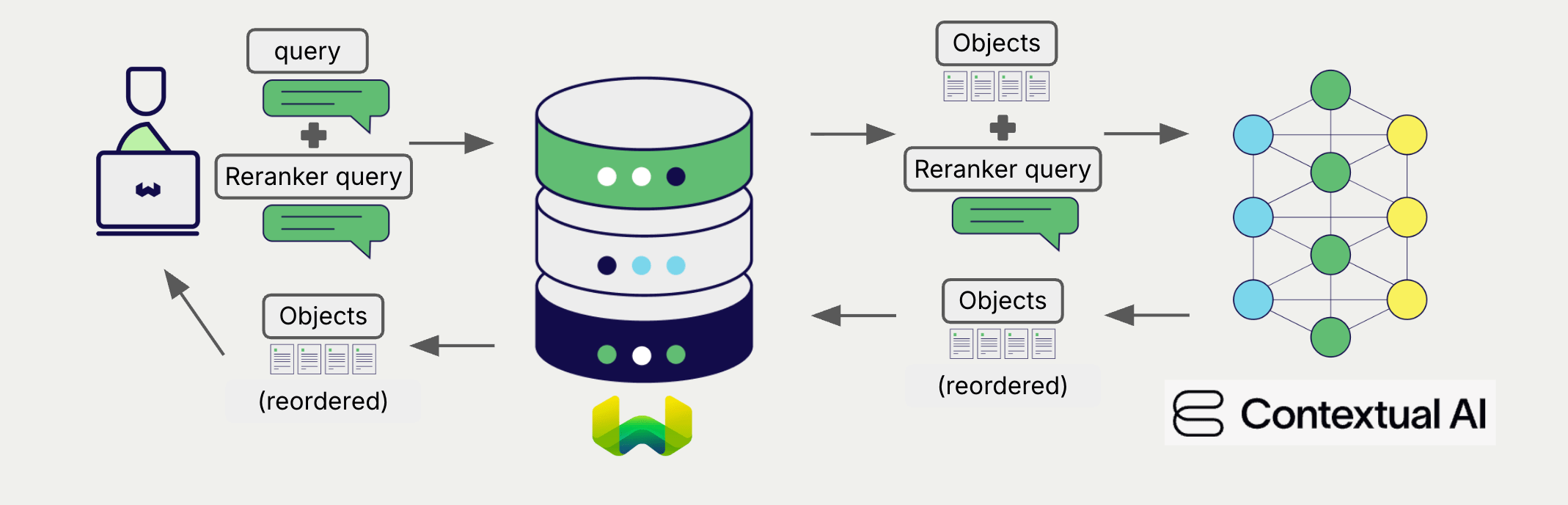
Contextual AI's reranker models are designed to improve the relevance and ranking of search results.
The Weaviate reranker integration allows users to easily refine their search results by leveraging Contextual AI's reranker models.
Contextual AI reranker integration page
Summary
Section titled “Summary”These integrations enable developers to leverage Contextual AI's powerful models directly within Weaviate.
In turn, they simplify the process of building AI-driven applications to speed up your development process, so that you can focus on creating innovative solutions.
Get started
Section titled “Get started”You must provide a valid Contextual AI API key to Weaviate for these integrations. Go to Contextual AI to sign up and obtain an API key.
Then, go to the relevant integration page to learn how to configure Weaviate with the Contextual AI models and start using them in your applications.
Questions and feedback
Section titled “Questions and feedback”Have a question or feedback? Here's how to reach us.